What is Boomy?
Boomy sits at the point where an idea for a track meets a finished, distributable recording.
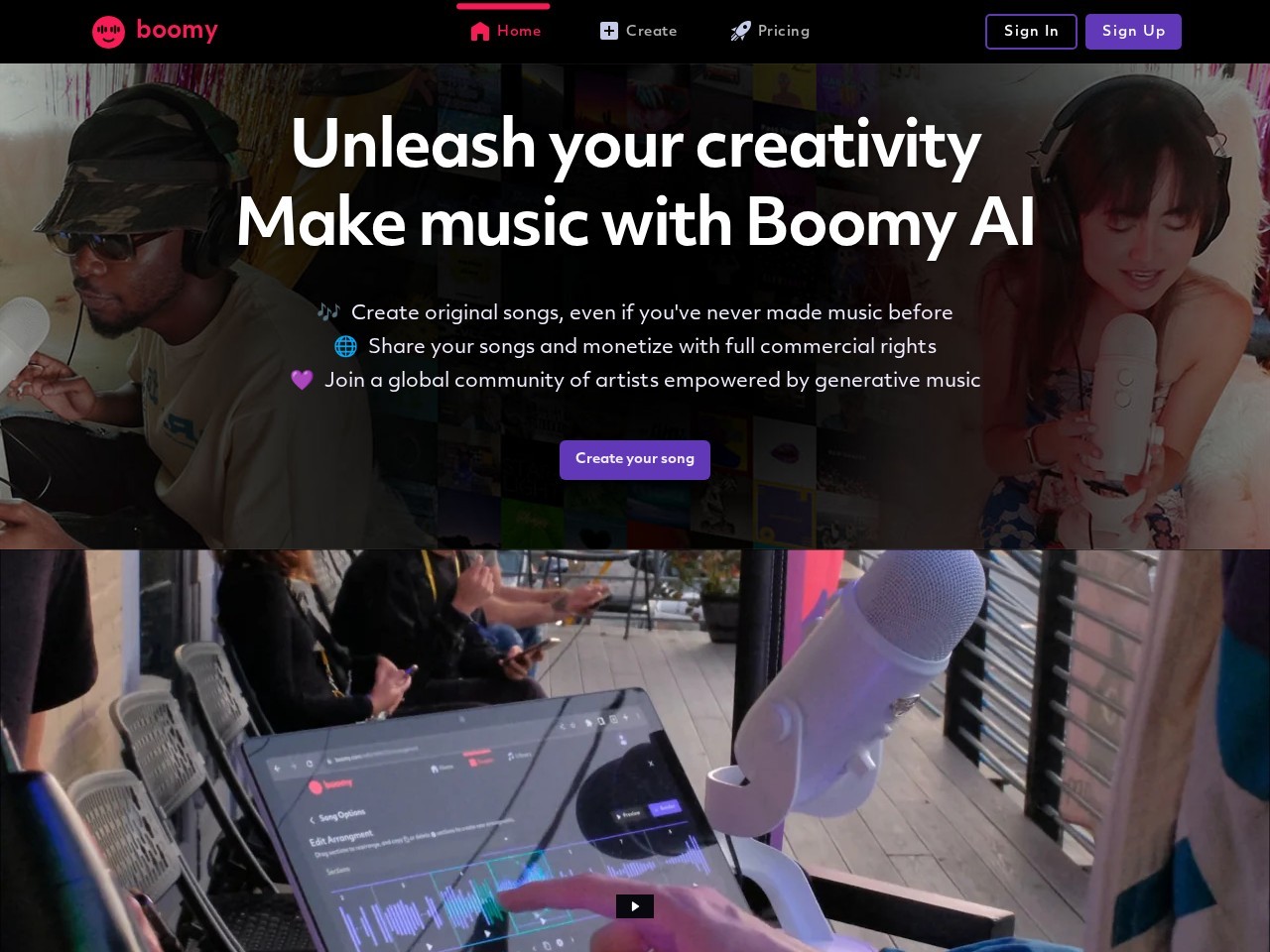
Boomy generates original songs in seconds from a chosen style, then lets creators adjust arrangement, instruments, tempo, and mix inside a browser workspace before submitting tracks to streaming platforms. Hobbyists, video creators, and first-time musicians use Boomy because Boomy pairs one-click generation with a release path that
Verified facts from the vendor site · Last verified Aug 22, 2026. Independent Boomy review covering pricing, features, who it is for, and alternatives.
Boomy sits at the point where an idea for a track meets a finished, distributable recording.
Boomy is freemium. It starts at $0/month. Paid plans include Free: monthly $0/mo: $0; Paid subscription (figures unconfirmed): Not published on a crawlable page. Check boomy.com for current prices.
Boomy has a free tier. Paid plans are available for higher limits and team features.
Boomy is best for content creators and first-time musicians who want an original, mixed track in minutes and a route to release it on streaming services with a royalty share attached..
Boomy is best for content creators and first-time musicians who want an original, mixed track in minutes and a route to release it on streaming services with a royalty share attached.. Skip it if boomy did not expose a crawlable pricing page, so the exact monthly and annual amounts of Boomy's paid plans are not verifiable from published pages.
The main Boomy features are One-click song generation from a chosen style such as electronic dance, lo-fi, rap beats, or relaxing ambient, Browser-based workspace requiring no DAW install, Instrument swapping and section regeneration on generated arrangements, Tempo, key, and mix adjustment controls, and Vocal recording and layering over generated instrumentals in supported styles.
The closest Boomy alternatives on Citeware are Fish Audio, Wave.video, VEED, Vidnoz AI, HeyGen. Full list: https://citeware.io/alternatives/boomy.
Limitations called out on this listing: Boomy did not expose a crawlable pricing page, so the exact monthly and annual amounts of Boomy's paid plans are not verifiable from published pages; Boomy free accounts cap how many songs can be saved, downloaded, and released; Boomy's release program attaches a revenue split rather than handing over an unencumbered master; Boomy output is template-driven and recognisably generative, which limits its use as a foreground song; Boomy vocal support is style-dependent rather than available across every generation type; Streaming platforms have tightened rules on bulk AI-generated uploads, which constrains high-volume releasing through Boomy; Boomy is browser-first, with no desktop DAW plugin for producers who work inside a session.
Boomy is available on Web browser, Windows (browser), macOS (browser), iOS (browser), Android (browser).
Boomy integrates with Spotify, Apple Music, Amazon Music, YouTube Music, TikTok, Instagram, Facebook, Deezer.
 vs
vs Boomy vs Fish AudioExpressive real-time AI text-to-speech, voice cloning, and speech-to-text built on the S2.1 Pro modelvs
 Boomy vs Wave.videoOnline video editor, live multistreaming studio, recorder, and hosting in one browser platformvs
 Boomy vs VEEDGenerate, edit, subtitle and dub videos in one browser workflowvs
 Boomy vs Vidnoz AIFree AI video generator with 1900+ avatars, 2000+ voices, and 2800+ templatesvs
 Boomy vs HeyGenAI avatar video creation, voice cloning, and lip-synced translation in 175+ languagesvs
 Boomy vs PixVerseProprietary AI video models for clip generation, cinematic production, and real-time interactive worlds
Public threads about Boomy
Community observations
No recent Hacker News threads
Nothing matched Boomy on Hacker News right now. Search X, Reddit, or another network above.
Citeware analysis
Boomy sits at the point where an idea for a track meets a finished, distributable recording. A visitor picks a style on Boomy, such as electronic dance, lo-fi, rap beats, or relaxing ambient, and Boomy composes a full arrangement with instrumentation, structure, and a mix already in place. Nothing about Boomy assumes the person reads notation, owns a DAW, or can play an instrument.
The people who get the most from Boomy tend to be creators rather than career producers. YouTubers and podcasters reach for Boomy when they need background beds they can reuse, short-form video makers use Boomy to spin up loops that fit a trend, and curious first-timers open Boomy because the distance between signing up and hearing an original song is a single click. Working composers more often treat Boomy as a sketchpad or a source of raw material than as a replacement for an existing production chain.
A typical Boomy session starts with a style choice and a generated candidate. From there Boomy exposes editing controls for swapping instruments, changing tempo or key, regenerating individual sections, and adjusting the balance of the mix, and several Boomy styles allow a vocal to be recorded or layered over the instrumental. Boomy stores saved songs in a personal library, so a creator can return later, tweak, and re-render instead of starting from an empty prompt.
What separates Boomy from a plain text-to-music generator is the release loop. Boomy submits finished tracks to streaming and social platforms including Spotify, Apple Music, Amazon Music, YouTube Music, TikTok, and Instagram, and Boomy pays artists a share of streaming royalties collected on released songs. That loop is why many people sign up for Boomy at all, and it is also why Boomy's rules on ownership, release eligibility, and revenue split carry more weight than they would for a download-only generator.
Boomy is packaged as a freemium service. Anyone can open Boomy in a browser and create music without paying, and free Boomy accounts are limited in how many songs they can save, download, and release. Paid Boomy subscriptions raise those caps and unlock higher-volume downloads and releases for active creators. Boomy did not expose a crawlable pricing page during this review, so the exact monthly figure, annual figure, and any annual discount for Boomy's paid plans could not be verified from published pages and should be read as unconfirmed rather than absent.
The limits of Boomy deserve plain statement. Boomy output is template-driven and recognisably generative, so Boomy tracks generally serve better as beds, loops, and short-form soundtracks than as foreground songs asked to carry an album. Boomy's release program attaches a revenue split and Boomy's own terms over the released master, which differs from tools that simply hand a creator a WAV file. Streaming platforms have also tightened enforcement against bulk AI-generated uploads, so anyone planning volume releases through Boomy should read Boomy's current release rules first.
Against category peers, Boomy occupies an unusual slot. Suno and Udio push harder on vocal realism and full-song prompting, Mubert and Soundraw lean toward royalty-free libraries built for video editors, and AIVA targets scored and orchestral work. Boomy trades some raw audio fidelity for an end-to-end path that runs from a style pick to a distributed release with a royalty share attached, a bundle no mainstream competitor packages as tightly.
A sensible evaluation of Boomy is a free session before any commitment: generate several songs in the styles that match the intended use, listen for whether Boomy's texture suits the project, and only then look at what a paid Boomy plan adds in downloads and releases.
Suitable for
Content creators and first-time musicians who want an original, mixed track in minutes and a route to release it on streaming services with a royalty share attached.
Evidence: Homepage (Primary) · Verified Aug 22, 2026.
Citeware analysis
Evidence: Homepage (Primary) · Verified Aug 22, 2026.
Verified facts
Evidence: Homepage (Primary) · Verified Aug 22, 2026.
Verified facts
Free
$0/mo
Paid subscription (figures unconfirmed)
Not published on a crawlable page/mo
Evidence: Homepage (Primary) · Verified Aug 22, 2026.
Citeware analysis
Named models, written separately. These are labeled Citeware analysis, not vendor claims.
anthropic · claude-opus-5 · Aug 22, 2026
Boomy is the fastest route from zero musical skill to a mixed, releasable track, and the bundled distribution plus royalty share is a genuinely unusual bit of packaging. It is also template-driven, split-revenue, and vague about what the paid tiers actually cost.
Still the quickest way to a finished track from nothing. The release side has aged worse than the generation side as platforms tightened AI upload rules.
Boomy's real trick isn't generation — plenty of tools make a passable loop — it's that the account that builds the song also ships it to Spotify and returns a royalty cut. From nothing to a released track is genuinely short, and the free tier lets you test that whole loop before paying anything.
Strengths
Watch-outs
openai · gpt-5.6-terra · Aug 22, 2026
Boomy is an unusually frictionless way to turn a mood and genre choice into usable music, especially when speed matters more than authorship depth. Its distribution path is compelling, but the revenue split and template-led sound make it a poor substitute for a DAW-based production workflow.
As of August 2026, Boomy is best treated as a fast music utility: excellent for content beds and sketches, less convincing for distinctive artist releases.
Fact: Boomy works in the browser, generates arranged tracks from style choices, and lets users revise instruments or sections rather than restarting every time. It also offers a route to streaming and social release from the same product.
That makes its central experience genuinely approachable for people who would otherwise never open a music-production tool.
Strengths
Watch-outs
Verified facts
Common questions about Boomy.
Boomy sits at the point where an idea for a track meets a finished, distributable recording. Source: https://boomy.com/
Boomy is freemium. It starts at $0/month. Paid plans include Free: monthly $0/mo: $0; Paid subscription (figures unconfirmed): Not published on a crawlable page. Check boomy.com for current prices. Source: https://boomy.com/
Boomy has a free tier. Paid plans are available for higher limits and team features. Source: https://boomy.com/
Boomy is best for content creators and first-time musicians who want an original, mixed track in minutes and a route to release it on streaming services with a royalty share attached.. Source: https://boomy.com/
Boomy is best for content creators and first-time musicians who want an original, mixed track in minutes and a route to release it on streaming services with a royalty share attached.. Skip it if boomy did not expose a crawlable pricing page, so the exact monthly and annual amounts of Boomy's paid plans are not verifiable from published pages. Source: https://boomy.com/
The main Boomy features are One-click song generation from a chosen style such as electronic dance, lo-fi, rap beats, or relaxing ambient, Browser-based workspace requiring no DAW install, Instrument swapping and section regeneration on generated arrangements, Tempo, key, and mix adjustment controls, and Vocal recording and layering over generated instrumentals in supported styles. Source: https://boomy.com/
The closest Boomy alternatives on Citeware are Fish Audio, Wave.video, VEED, Vidnoz AI, HeyGen. Full list: https://citeware.io/alternatives/boomy. Source: https://boomy.com/
Limitations called out on this listing: Boomy did not expose a crawlable pricing page, so the exact monthly and annual amounts of Boomy's paid plans are not verifiable from published pages; Boomy free accounts cap how many songs can be saved, downloaded, and released; Boomy's release program attaches a revenue split rather than handing over an unencumbered master; Boomy output is template-driven and recognisably generative, which limits its use as a foreground song; Boomy vocal support is style-dependent rather than available across every generation type; Streaming platforms have tightened rules on bulk AI-generated uploads, which constrains high-volume releasing through Boomy; Boomy is browser-first, with no desktop DAW plugin for producers who work inside a session. Source: https://boomy.com/
Boomy is available on Web browser, Windows (browser), macOS (browser), iOS (browser), Android (browser). Source: https://boomy.com/
Boomy integrates with Spotify, Apple Music, Amazon Music, YouTube Music, TikTok, Instagram, Facebook, Deezer. Source: https://boomy.com/
Common Boomy use cases include Producing background music beds for YouTube videos and podcasts, Generating short loops that fit a trending short-form video format, Releasing original songs to streaming services without a label or distributor, Sketching musical ideas quickly before rebuilding them in a DAW, Creating ambient or lo-fi playlists for streaming and study channels, Letting a complete beginner hear an original composition without music training, Building a catalogue of instrumentals for social content across channels. Source: https://boomy.com/
Boomy is listed in Video & Audio, founded in 2018. Official site: https://boomy.com/.
Yes. Boomy submits finished songs to streaming and social platforms including Spotify, Apple Music, Amazon Music, YouTube Music, TikTok, and Instagram, and Boomy pays the creator a share of the streaming royalties collected on those released tracks under Boomy's release terms. Source: https://boomy.com/
No. Boomy is designed so that a style selection produces a complete arrangement, and the follow-up controls in Boomy cover instrument swaps, tempo, key, and mix rather than notation or signal-chain work. Boomy is usable by someone who has never opened a DAW. Source: https://boomy.com/
Boomy is a browser-based web application, so Boomy works on Windows, macOS, Linux, and mobile browsers without an install. Boomy does not ship a desktop DAW plugin, which is a real constraint for producers who want to work inside an existing session. Source: https://boomy.com/
Boomy supports recording or layering a vocal over generated instrumentals in supported styles, so a creator can top a Boomy beat with their own performance. Vocal support in Boomy depends on the style selected rather than being available on every generation type. Source: https://boomy.com/
Content creators who need original, reusable music and beginners who want to release a song without a studio get the most out of Boomy. Professional producers usually treat Boomy as an idea generator, because Boomy output is template-driven and better suited to beds and loops than to foreground album tracks. Source: https://boomy.com/
Open Boomy in a browser, create a free account, pick a style, and let Boomy generate a first candidate song. From there a Boomy user can edit the arrangement, save the result to a personal library, and decide whether the free limits are enough before moving to a paid Boomy subscription. Source: https://boomy.com/
Evidence: Homepage (Primary) · Verified Aug 22, 2026.
Looking for more options? Browse all Boomy alternatives.
Public threads about Boomy
Community observations
No recent Hacker News threads
Nothing matched Boomy on Hacker News right now. Search X, Reddit, or another network above.