What is Krea?
Instead of maintaining separate subscriptions for a text-to-image service, a frontier video model, and a dedicated upscaler, Krea consolidates those layers behind one login and one metered compute balance.
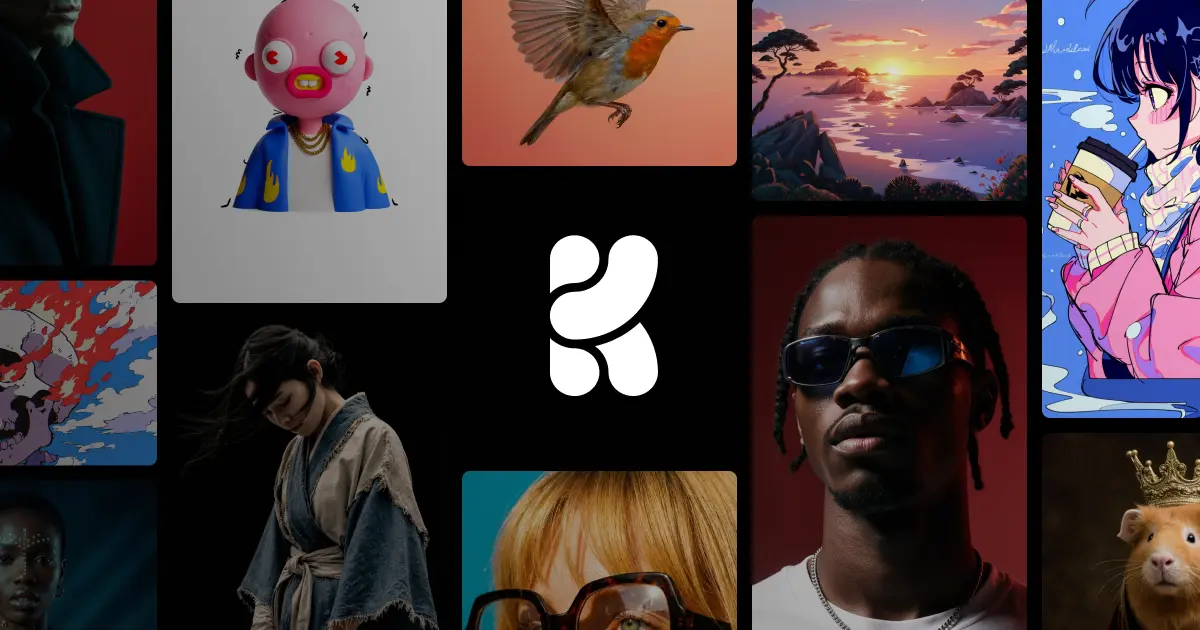
Krea brings 100+ image, video, 3D, and lipsync models — Flux 2, Veo 3, Sora 2, Kling, and Krea's own Krea 2 — into one browser workspace with a shared compute-unit balance. Designers, agencies, and studios use Krea for real-time canvas generation, 22K upscaling, and in-browser LoRA training on their own products or brand styles.
1 / 2
Verified facts from the vendor site · Last verified Aug 22, 2026. Independent Krea review covering pricing, features, who it is for, and alternatives.
Instead of maintaining separate subscriptions for a text-to-image service, a frontier video model, and a dedicated upscaler, Krea consolidates those layers behind one login and one metered compute balance.
Krea is freemium. It starts at $0/month. Paid plans include Free: monthly $0/mo: yearly $0/yr ($0/mo effective). Check krea.ai for current prices.
Krea has a free tier. Paid plans are available for higher limits and team features.
Krea is best for teams producing campaign visuals and social content for agency clients at volume and training a LoRA on a single product so every campaign shot stays on-brand.
Krea is best for teams producing campaign visuals and social content for agency clients at volume and training a LoRA on a single product so every campaign shot stays on-brand. Skip it if krea plan limits come from the published pricing table..
The main Krea features are Text to Image generation with 20+ image models, 1000+ styles, and native 4K output, Realtime image canvas that renders from primitives and prompts in under 50ms, Text to Video and image-to-video with Veo 3, Veo 3.1, Sora 2, Kling, Hailuo, Wan, Runway, and Seedance, Motion Transfer and Video Style Transfer for restyling existing footage, and Text to 3D Object and Image to 3D Object mesh generation.
The closest Krea alternatives on Citeware are Shakker AI, SeaArt AI, Hotpot.ai, Draw Things, DeepAI. Full list: https://citeware.io/alternatives/krea.
Limitations called out on this listing: Krea plan limits come from the published pricing table.; Krea packaging is recorded from the vendor pages available at analysis time..
Krea is available on Web.
 vs
vs Krea vs Shakker AIStreaming AI image generator with an infinite canvas, WebUI, ComfyUI, and training toolsvs
 Krea vs SeaArt AIAll-in-one AI creation platform and community for images, video, characters, and model trainingvs
 Krea vs Hotpot.aiAI image generation, headshots, and photo editing sold by the credit instead of the subscriptionvs
 Krea vs Draw ThingsPrivate, offline AI image generation for iPhone, iPad, and Macvs
 Krea vs DeepAIArtificially intelligent tools for naturally creative humans.vs
 Krea vs StablecogCreate amazing art in seconds with AI.
Public threads about Krea
Community observations
No recent Hacker News threads
Nothing matched Krea on Hacker News right now. Search X, Reddit, or another network above.
Citeware analysis
Instead of maintaining separate subscriptions for a text-to-image service, a frontier video model, and a dedicated upscaler, Krea consolidates those layers behind one login and one metered compute balance. The Krea homepage counts "64+ Models" while the Krea llms.txt file counts "100+ AI models" and the Krea Enterprise page says "50+ models", so the exact catalog size depends on which Krea page a buyer reads. Krea's own marketing describes the platform as "the world's most powerful creative AI suite", a vendor claim rather than a measured result.
The audience Krea targets stretches from hobbyists to procurement-led creative departments. A solo illustrator can open Krea, spend the free daily allotment of 100 compute units, and never enter a card, while agencies, architecture practices, and in-house brand teams buy the Krea Business and Enterprise tiers for SAML SSO, per-member spend limits, model access restrictions, and IP indemnification. Krea publishes customer names including Lego, Samsung, Nike, Microsoft, Shopify, Amazon Studios, Henning Larsen, Gensler, Perkins Will, and Superside.
Day-to-day work inside Krea starts from a named tool in the Krea navigation: Text to Image, Realtime, Text to Video, Motion Transfer, Text to 3D, Image to 3D, Enhancer, Background Remover, Video Style Transfer, and Train. The Krea Realtime canvas renders images from simple primitives and prompts in under 50ms according to Krea's homepage, which turns Krea into a sketch-and-steer surface rather than a prompt-and-wait queue. Finished files collect in the Krea Asset Manager, and Krea Nodes chains generation, enhancement, and style steps into reusable pipelines that the Krea App Builder can publish as shareable mini-apps.
Custom model training is where Krea separates from a plain model aggregator. Krea supports image and video LoRA fine-tuning directly in the browser: a user uploads a handful of shots of one product, face, or visual identity and Krea trains a model that can then be called from the Krea image and video tools. Krea caps LoRA training at 50 images per model on Free, Basic, and Pro, raises the ceiling to 2,000 files with unlimited fine-tunings on Max, and allows up to 20,000 images plus private Node App sharing on Business.
The Krea pricing page lists Free at $0 with 100 compute units per day, Basic at $9/month for 5,000 units, Pro at $35/month for 20,000 units, Max at $105/month for 60,000 units, Business at $200/month for 80,000 units with up to 50 seats included, and Enterprise as a custom quote. Krea advertises "Save 40% on yearly plans" through a Monthly/Yearly toggle but does not print the resulting annual charge on the crawled page. Krea also converts units into concrete output counts, quoting 257 Nano Banana generations or 83 Seedance 2.0 videos for the Pro allowance, and Krea offers sliders that scale Max and Business allowances up to 100k and 1.5M units respectively.
The real limits in Krea are gating and metering rather than missing capability. The Krea Free plan withholds the commercial license, caps upscaling at 2K, and grants only "Limited LoRA training". Krea Basic buys the commercial license but only "Selected video models", so anyone whose main deliverable is Veo, Sora, or Kling footage must reach Krea Pro. Once compute units run out, Krea's unlimited relaxed queue only covers in-house models such as Krea 2, Krea 1, Flux, Z-image, and Qwen, so third-party frontier models keep consuming units. Krea's sources also disagree on price: the Krea llms.txt file quotes plans from $7/month with Pro at $28 and Max at $48, while the crawled Krea pricing page shows $9, $35, and $105.
Against category peers, Krea trades a single house aesthetic for breadth and speed of model adoption. Midjourney ships one opinionated model and a Discord-and-web workflow, Adobe Firefly leans on Creative Cloud integration and commercially safe training data, and Runway concentrates on video craft, whereas Krea aggregates rival models from Google, OpenAI, ByteDance, Black Forest Labs, and Kuaishou and adds them close to launch day. Buyers who want one consistent look from one vendor model may find Krea's model sprawl distracting; buyers who benchmark outputs across providers get that comparison inside Krea without extra contracts.
Getting started with Krea requires no installation, since Krea runs entirely in the browser, with a Krea Slack agent, a Krea API, and a Krea MCP endpoint for teams that want generation triggered from other surfaces. Krea also publishes open weights and technical write-ups for Krea RAW, Krea Turbo, and Krea Realtime 14B on GitHub and Hugging Face, which gives technical teams a way to evaluate Krea's proprietary research outside the paid product.
Suitable for
Teams producing campaign visuals and social content for agency clients at volume and training a LoRA on a single product so every campaign shot stays on-brand
Evidence: Homepage (Primary) · Pricing (Primary) · Verified Aug 22, 2026.
Citeware analysis
Evidence: Homepage (Primary) · Verified Aug 22, 2026.
Verified facts
Evidence: Homepage (Primary) · Verified Aug 22, 2026.
Verified facts
Free
$0/mo
Evidence: Homepage (Primary) · Pricing (Primary) · Verified Aug 22, 2026.
Verified facts
The company behind Krea is KREA.AI, INC.
Terms govern use of Krea's websites, products, services and applications (the "Services"). Binding contract between the user and KREA.AI, INC. Terms include limitations of liability. Krea also lists other losses and interruptions it does not cover.
Krea says it collects account and identity, contact details, payment information, product usage and analytics, and device and ip data. That data is used for creating and managing your account or other user profiles.
Terms govern use of Krea's websites, products, services and applications (the "Services"). Binding contract between the user and KREA.AI, INC. Terms include limitations of liability. Krea also lists other losses and interruptions it does not cover.
Krea says it collects account and identity, contact details, payment information, product usage and analytics, and device and ip data. That data is used for creating and managing your account or other user profiles.
Account and identity
CollectingCreating and managing your account or other user profiles
Contact details
CollectingProviding the Services and corresponding with you
Payment information
CollectingProviding the Services; processing orders or other transactions; billing
Product usage and analytics
CollectingProviding, customizing and improving the Services; marketing the Services
Device and IP data
CollectingProviding, customizing and improving the Services; marketing the Services
User content and uploads
CollectingSensory Data (photos, videos, recordings) used for providing, customizing and improving the Services
Cookies and tracking
UnclearNot specified in the policy
Location
CollectingProviding, customizing and improving the Services
Shared with third parties
CollectingDisclosed to Service Providers, Analytics Partners, and parties you authorize
Advertising and remarketing
UnclearMarketing and selling the Services
Used to train AI models
UnclearNot specified in the policy
How long data is kept
UnclearNot specified in the policy
Evidence: Terms (Primary) · Privacy (Primary) · Verified Aug 22, 2026.
Citeware analysis
Named models, written separately. These are labeled Citeware analysis, not vendor claims.
anthropic · claude-opus-5 · Aug 22, 2026
Krea is the most convincing single-bill answer to model sprawl in generative visuals, with a real-time canvas nobody else matches. The catch is credit math and inconsistent published pricing, not capability.
The edge is consolidation: Veo, Sora, Kling and Flux behind one login and one bill. Watch the compute-unit math, and confirm the price at checkout before you budget.
The aggregation pitch holds up. Getting Veo 3.1, Sora 2, Kling, Seedance and a dozen image models under one login removes a genuine procurement headache, and Krea tends to ship new models on release day rather than a quarter later.
The realtime canvas, under 50ms from primitives to render, is the one feature here that isn't available somewhere else, and it changes how concepting feels.
Strengths
Watch-outs
openai · gpt-5.6-terra · Aug 22, 2026
Krea is an unusually capable all-in-one visual AI workspace, especially for creatives who need to test models and move from stills to video without vendor hopping. Its breadth is a real advantage, but credit-based usage and fast-changing model access demand active cost management.
As of August 2026, Krea stands out less for any single model than for making a broad, current model stack practical in one creative workflow.
Fact: Krea combines image, video, 3D, editing, enhancement, LoRA training, asset management, and node workflows in a browser workspace. Its public plans include a free tier with daily compute units; paid access adds commercial rights and broader model access.
Strengths
Watch-outs
Verified facts
Common questions about Krea.
Instead of maintaining separate subscriptions for a text-to-image service, a frontier video model, and a dedicated upscaler, Krea consolidates those layers behind one login and one metered compute balance. Source: https://www.krea.ai/
Krea is freemium. It starts at $0/month. Paid plans include Free: monthly $0/mo: yearly $0/yr ($0/mo effective). Check krea.ai for current prices. Source: https://www.krea.ai/pricing
Krea has a free tier. Paid plans are available for higher limits and team features. Source: https://www.krea.ai/pricing
Krea is best for teams producing campaign visuals and social content for agency clients at volume and training a LoRA on a single product so every campaign shot stays on-brand. Source: https://www.krea.ai/
Krea is best for teams producing campaign visuals and social content for agency clients at volume and training a LoRA on a single product so every campaign shot stays on-brand. Skip it if krea plan limits come from the published pricing table.. Source: https://www.krea.ai/
The main Krea features are Text to Image generation with 20+ image models, 1000+ styles, and native 4K output, Realtime image canvas that renders from primitives and prompts in under 50ms, Text to Video and image-to-video with Veo 3, Veo 3.1, Sora 2, Kling, Hailuo, Wan, Runway, and Seedance, Motion Transfer and Video Style Transfer for restyling existing footage, and Text to 3D Object and Image to 3D Object mesh generation. Source: https://www.krea.ai/
The closest Krea alternatives on Citeware are Shakker AI, SeaArt AI, Hotpot.ai, Draw Things, DeepAI. Full list: https://citeware.io/alternatives/krea. Source: https://www.krea.ai/
Limitations called out on this listing: Krea plan limits come from the published pricing table.; Krea packaging is recorded from the vendor pages available at analysis time.. Source: https://www.krea.ai/
Krea is available on Web. Source: https://www.krea.ai/
Common Krea use cases include Producing campaign visuals and social content for agency clients at volume, Training a LoRA on a single product so every campaign shot stays on-brand, Turning architectural 3D renders into photorealistic visualizations with the Krea Enhancer, Animating static product photography into short social video clips, Restoring and upscaling old film scans or phone footage for professional delivery, Storyboarding and concept art with the Realtime canvas before committing to a render, Benchmarking Veo, Sora, Kling, and Seedance output on the same prompt without separate subscriptions, Publishing a repeatable generate-enhance-restyle pipeline as a shareable Node App for a studio team. Source: https://www.krea.ai/
Krea is made by KREA.AI, INC. Official site: https://www.krea.ai/.
Krea collects account and identity. Creating and managing your account or other user profiles. Krea collects contact details. Providing the Services and corresponding with you. Krea collects payment information. Providing the Services; processing orders or other transactions; billing. Krea collects product usage and analytics. Providing, customizing and improving the Services; marketing the Services. Krea collects device and ip data. Providing, customizing and improving the Services; marketing the Services. Krea collects user content and uploads. Sensory Data (photos, videos, recordings) used for providing, customizing and improving the Services. Krea does not clearly say whether it collects cookies and tracking. Not specified in the policy. Krea collects location. Providing, customizing and improving the Services. Krea collects shared with third parties. Disclosed to Service Providers, Analytics Partners, and parties you authorize. Krea does not clearly say whether it collects advertising and remarketing. Marketing and selling the Services. Krea does not clearly say whether it collects used to train ai models. Not specified in the policy. Krea does not clearly say whether it collects how long data is kept. Not specified in the policy. Source: https://www.krea.ai/privacy
Confirm pricing, limits, and support on the official site before you buy. Source: https://www.krea.ai/
Evidence: Homepage (Primary) · Verified Aug 22, 2026.
Looking for more options? Browse all Krea alternatives.
Public threads about Krea
Community observations