What is Microsoft Designer?
Sitting inside the Microsoft consumer ecosystem, Microsoft Designer positions itself as the quick-turnaround visual maker for people who are not trained designers.

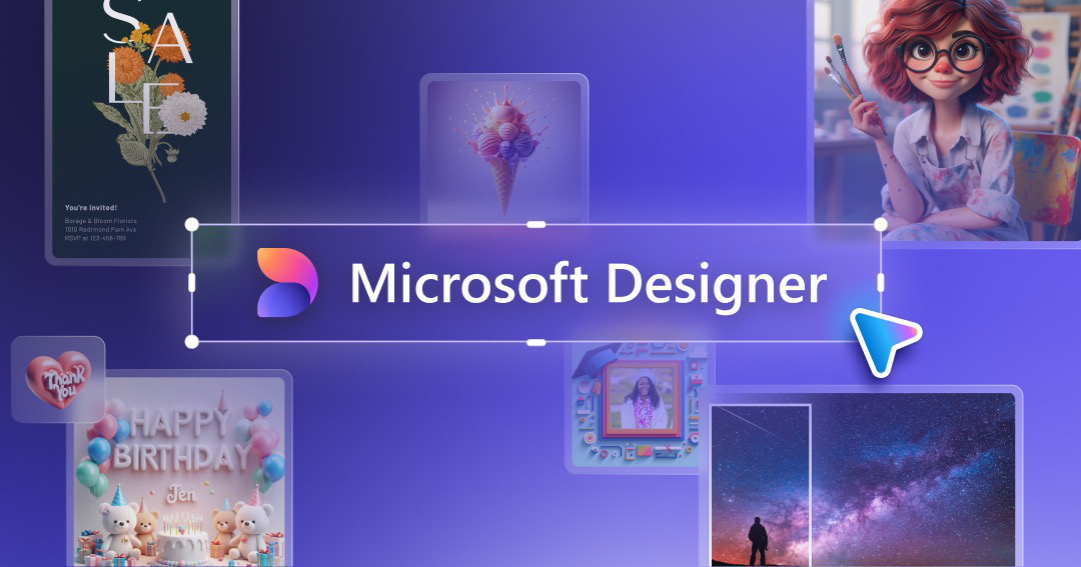
Microsoft Designer is a browser-based graphic design app that turns a written prompt or an uploaded photo into social posts, invitations, digital postcards, and marketing graphics. Microsoft Designer suits solo creators, small business owners, and students who want AI-generated layouts and images without opening a full editor like Adobe.
1 / 2
Verified facts from the vendor site · Last verified Aug 22, 2026. Independent Microsoft Designer review covering pricing, features, who it is for, and alternatives.
Sitting inside the Microsoft consumer ecosystem, Microsoft Designer positions itself as the quick-turnaround visual maker for people who are not trained designers.
Microsoft Designer is freemium. It starts at $0/month. Paid plans include Free with a Microsoft account: monthly $0/mo: $0; Microsoft 365 subscription uplift: Not published on designer.microsoft.com. Check designer.microsoft.com for current prices.
Microsoft Designer has a free tier. Paid plans are available for higher limits and team features.
Microsoft Designer is best for small business owners and social media creators who need a publish-ready post or invitation from a written prompt without hiring a designer or learning a full editor..
Microsoft Designer is best for small business owners and social media creators who need a publish-ready post or invitation from a written prompt without hiring a designer or learning a full editor.. Skip it if microsoft Designer publishes no pricing page on designer.microsoft.com, so plan names, credit counts, and prices are not verifiable from the product site.
The main Microsoft Designer features are Prompt-to-design generation that turns a text description into finished layouts, AI image generation for original visuals inside the same canvas, Templates for social media posts, invitations, digital postcards, and graphics, Multiple design variations produced from a single prompt, and Photo editing helpers including background removal and object erase.
The closest Microsoft Designer alternatives on Citeware are Shakker AI, SeaArt AI, Krea, Hotpot.ai, Draw Things. Full list: https://citeware.io/alternatives/microsoft-designer.
Limitations called out on this listing: Microsoft Designer publishes no pricing page on designer.microsoft.com, so plan names, credit counts, and prices are not verifiable from the product site; AI generation is metered by AI credits that reset on a cycle rather than accumulating, so heavy prompt use stalls mid-project; The larger credit allowance is bundled into a Microsoft 365 consumer subscription instead of a standalone Microsoft Designer plan, forcing a broader purchase; Brand kit, shared asset library, and multi-seat approval features are thinner than tools built for marketing teams; Commercial usage rights for AI-generated output depend on Microsoft service terms rather than a clear statement on the Microsoft Designer homepage; Template and stock libraries are smaller than long-established design catalogs; No published offline or desktop application for Microsoft Designer; the workflow assumes a live browser session; AI image and design generation limited by a monthly AI credit allowance.
Microsoft Designer is available on Web, Windows, iOS, Android.
Microsoft Designer integrates with Microsoft account sign-in, Microsoft 365, Microsoft Copilot, Microsoft Edge, Windows, OneDrive.
vs Microsoft Designer vs Shakker AIStreaming AI image generator with an infinite canvas, WebUI, ComfyUI, and training toolsvs
 Microsoft Designer vs SeaArt AIAll-in-one AI creation platform and community for images, video, characters, and model trainingvs
 Microsoft Designer vs KreaGenerate, edit, and enhance images, video, and 3D with 100+ AI models in one subscriptionvs
 Microsoft Designer vs Hotpot.aiAI image generation, headshots, and photo editing sold by the credit instead of the subscriptionvs
 Microsoft Designer vs Draw ThingsPrivate, offline AI image generation for iPhone, iPad, and Macvs
 Microsoft Designer vs DeepAIArtificially intelligent tools for naturally creative humans.
Public threads about Microsoft Designer
Community observations
No recent Hacker News threads
Nothing matched Microsoft Designer on Hacker News right now. Search X, Reddit, or another network above.
Citeware analysis
Sitting inside the Microsoft consumer ecosystem, Microsoft Designer positions itself as the quick-turnaround visual maker for people who are not trained designers. The designer.microsoft.com homepage frames the product around a single idea: describe what you want, or drop in a photo, and Microsoft Designer assembles a professional-looking layout you can publish straight to social channels.
The published audience for Microsoft Designer is broad. Microsoft describes the app as a way to build social media posts, invitations, digital postcards, and graphics, which maps to small business owners announcing a promotion, community organizers building an event flyer, and individuals making birthday or holiday cards. Because Microsoft Designer runs in the browser and ties to a Microsoft account, it also lands naturally with people already using Word, PowerPoint, and Outlook.
A typical Microsoft Designer session starts from a prompt box or a template. The generative flow produces several design variations at once, and the editor lets you swap copy, change palettes, restyle text, and regenerate imagery until the composition matches your intent. Microsoft Designer also exposes image generation and photo-editing helpers such as background removal and object erasing, so a single asset can go from raw phone photo to finished post without leaving the app.
Distribution is where Microsoft Designer differs from a standalone design tool. Microsoft has embedded Designer capabilities across Windows, Copilot, Edge, and Microsoft 365 surfaces, so the same generation engine surfaces in more than one place. For a buyer already inside Microsoft accounts, that reduces the friction of adopting yet another creative subscription.
Pricing for Microsoft Designer is not clear from the crawled material. No pricing page was found on designer.microsoft.com, and the homepage does not publish plan names, credit counts, or a monthly figure. Microsoft Designer is generally reachable at no cost with a Microsoft account, with heavier AI generation gated behind an AI-credit allowance that increases with a paid Microsoft 365 consumer subscription. Because that uplift is billed through Microsoft 365 rather than a Designer plan card, anyone budgeting for Microsoft Designer should treat the entry point as free and confirm the credit allowance at the Microsoft 365 checkout.
The limitations of Microsoft Designer follow from that packaging. AI credits are consumed per generation and reset on a cycle rather than rolling over indefinitely, so heavy image generation runs out faster than users expect. Microsoft Designer is also consumer-shaped: brand kits, multi-seat approval workflows, and deep asset governance are thinner than in tools built for marketing departments, and the free tier's usage terms lean personal rather than agency-scale commercial production.
Against category peers, Microsoft Designer trades breadth for speed. Canva offers a much larger template and stock library plus team collaboration features, and Adobe Express connects to Creative Cloud libraries and fonts. Microsoft Designer counters with tight Microsoft account integration, generative image creation built into the same canvas, and a low barrier for someone who just needs one good-looking graphic today.
Buyers evaluating Microsoft Designer should test the prompt-to-layout quality on their own brand assets first, then check how many generations a normal week consumes. That single measurement decides whether Microsoft Designer stays free or pushes you toward a Microsoft 365 subscription for the larger AI credit allowance.
Suitable for
Small business owners and social media creators who need a publish-ready post or invitation from a written prompt without hiring a designer or learning a full editor.
Evidence: Homepage (Primary) · Verified Aug 22, 2026.
Citeware analysis
Evidence: Homepage (Primary) · Verified Aug 22, 2026.
Verified facts
Evidence: Homepage (Primary) · Verified Aug 22, 2026.
Verified facts
Free with a Microsoft account
$0/mo
Microsoft 365 subscription uplift
Not published on designer.microsoft.com/mo
Evidence: Homepage (Primary) · Verified Aug 22, 2026.
Citeware analysis
Named models, written separately. These are labeled Citeware analysis, not vendor claims.
anthropic · claude-opus-5 · Aug 22, 2026
Microsoft Designer is a genuinely capable prompt-to-graphic tool that costs nothing to try, but its opaque credit economics and thin brand controls make it a companion to a design workflow rather than the center of one.
As of August 2026, the free tier is the real product. Credits, not features, decide whether Designer works for you, and Microsoft still won't publish the numbers.
The core loop works. Type a description, get several finished layouts, swap the palette, generate an original image when stock won't do, and export a social-ready file in minutes.
For a shop owner announcing a sale or a club posting a flyer, that is often the whole job. Background removal and object erase in the same canvas remove a step that used to mean opening a second app.
Strengths
Watch-outs
openai · gpt-5.6-terra · Aug 22, 2026
Microsoft Designer is a compelling no-cost starting point for fast, AI-assisted promotional graphics, especially when speed matters more than precise craft. It is less convincing as the primary design system for a brand that needs dependable governance and deep library breadth.
As of August 2026, Designer’s appeal is its unusually direct idea-to-post workflow; its trade-off is a lighter, credit-metered creative environment.
The public homepage clearly positions Designer around social posts, invitations, postcards, and graphics, and that focus suits it. Its prompt-led approach reduces the blank-canvas problem: a solo operator can get to a credible first draft quickly, then use built-in image and cleanup tools rather than bouncing among apps.
Strengths
Watch-outs
Verified facts
Common questions about Microsoft Designer.
Sitting inside the Microsoft consumer ecosystem, Microsoft Designer positions itself as the quick-turnaround visual maker for people who are not trained designers. Source: https://designer.microsoft.com/
Microsoft Designer is freemium. It starts at $0/month. Paid plans include Free with a Microsoft account: monthly $0/mo: $0; Microsoft 365 subscription uplift: Not published on designer.microsoft.com. Check designer.microsoft.com for current prices. Source: https://designer.microsoft.com/
Microsoft Designer has a free tier. Paid plans are available for higher limits and team features. Source: https://designer.microsoft.com/
Microsoft Designer is best for small business owners and social media creators who need a publish-ready post or invitation from a written prompt without hiring a designer or learning a full editor.. Source: https://designer.microsoft.com/
Microsoft Designer is best for small business owners and social media creators who need a publish-ready post or invitation from a written prompt without hiring a designer or learning a full editor.. Skip it if microsoft Designer publishes no pricing page on designer.microsoft.com, so plan names, credit counts, and prices are not verifiable from the product site. Source: https://designer.microsoft.com/
The main Microsoft Designer features are Prompt-to-design generation that turns a text description into finished layouts, AI image generation for original visuals inside the same canvas, Templates for social media posts, invitations, digital postcards, and graphics, Multiple design variations produced from a single prompt, and Photo editing helpers including background removal and object erase. Source: https://designer.microsoft.com/
The closest Microsoft Designer alternatives on Citeware are Shakker AI, SeaArt AI, Krea, Hotpot.ai, Draw Things. Full list: https://citeware.io/alternatives/microsoft-designer. Source: https://designer.microsoft.com/
Limitations called out on this listing: Microsoft Designer publishes no pricing page on designer.microsoft.com, so plan names, credit counts, and prices are not verifiable from the product site; AI generation is metered by AI credits that reset on a cycle rather than accumulating, so heavy prompt use stalls mid-project; The larger credit allowance is bundled into a Microsoft 365 consumer subscription instead of a standalone Microsoft Designer plan, forcing a broader purchase; Brand kit, shared asset library, and multi-seat approval features are thinner than tools built for marketing teams; Commercial usage rights for AI-generated output depend on Microsoft service terms rather than a clear statement on the Microsoft Designer homepage; Template and stock libraries are smaller than long-established design catalogs; No published offline or desktop application for Microsoft Designer; the workflow assumes a live browser session; AI image and design generation limited by a monthly AI credit allowance. Source: https://designer.microsoft.com/
Microsoft Designer is available on Web, Windows, iOS, Android. Source: https://designer.microsoft.com/
Microsoft Designer integrates with Microsoft account sign-in, Microsoft 365, Microsoft Copilot, Microsoft Edge, Windows, OneDrive. Source: https://designer.microsoft.com/
Common Microsoft Designer use cases include Producing an Instagram or LinkedIn post graphic from a short prompt, Designing a birthday, wedding, or event invitation without a designer, Making digital postcards and holiday greetings for family or customers, Creating promotional graphics for a small business sale or launch, Cleaning up a phone photo with background removal before posting, Generating original AI imagery when stock photos do not fit the message, Building a quick flyer or announcement for a club, class, or community group, Resizing and restyling one concept into several social formats. Source: https://designer.microsoft.com/
Microsoft Designer is listed in Image & Design, founded in 2022. Official site: https://designer.microsoft.com/.
No. Microsoft Designer runs in a web browser at designer.microsoft.com and requires a Microsoft account to sign in. Designer capabilities also appear inside other Microsoft surfaces such as Copilot and Edge. Source: https://designer.microsoft.com/
AI credits meter the generative actions in Microsoft Designer, such as creating an image or generating design variations. Credits refresh on a cycle, and running out pauses generative features until the next reset or until a Microsoft 365 subscription raises the allowance. Source: https://designer.microsoft.com/
Microsoft Designer is marketed for social posts and promotional graphics, but usage rights for AI-generated content are set by Microsoft's service terms rather than stated on the Microsoft Designer homepage. Confirm those terms before using generated imagery in paid advertising. Source: https://designer.microsoft.com/
Visit designer.microsoft.com, sign in with a Microsoft account, then type a description of the design you want or upload a photo. Microsoft Designer generates several options, and you edit copy, colors, and imagery directly in the browser canvas. Source: https://designer.microsoft.com/
Evidence: Homepage (Primary) · Verified Aug 22, 2026.
Looking for more options? Browse all Microsoft Designer alternatives.
Public threads about Microsoft Designer
Community observations
No recent Hacker News threads
Nothing matched Microsoft Designer on Hacker News right now. Search X, Reddit, or another network above.